
How to Calculate a True Sidereal Human Design Chart

Generate your True Sidereal Human Design chart instantly, calculated against the actual sky.
Follow this exact configuration to calculate your true sidereal chart in Genetic Matrix
using the actual astronomical sky the same settings I use for every professional reading I deliver.
These are the exact backend settings I use in every professional reading…
How to Setup Your True Sidereal Chart on Genetic Matrix
Most internet-based Human Design chart generators rely on traditional tropical coordinates, which are mathematically frozen in time and misaligned with the visible sky by roughly 23 to 24 degrees.
True Sidereal Human Design uses real-time astronomical data to map your bodygraph against the actual sky at your exact moment of birth. This page provides a complete, technical configuration guide to unlock the required manual “User Defined SVP” (Sidereal Vernal Point) settings using a Genetic Matrix Pro Account.
Ensuring your aura type, inner authority, profile, and energy centers reflect true astronomical facts rather than tropical approximations. Most Human Design charts on the internet are wrong. They are not just slightly off or approximately correct, they are wrong by roughly 23 to 24 degrees. That is the equivalent of six I Ching gates, or about34 days of planetary movement.
The traditional chart you may have been reading your entire life was calculated from a position the planets had not even reached yet at the moment you were born. This is the massive difference between the tropical zodiac. A symbolic system frozen in time 2,000 years ago and True Sidereal Human Design, which uses the actual sky above you at your actual birth moment. Your body responded to the real sky. Your chart should reflect it.
To generate your True Sidereal Human Design chart
You need a Genetic Matrix Pro Account. Genetic Matrix is currently the only Human Design charting software that allows the specific sidereal settings required for an accurate, real-sky calculation.
The free version of the software does not include these advanced settings, but the Pro Account does.
Affiliate Transparency: The links on this page are affiliate links. If you purchase a membership through them, I receive a small commission at no extra cost to you. I have used Genetic Matrix for at least eight years to calculate every professional reading I deliver. I hold a Pro membership myself and only recommend tools I use daily.
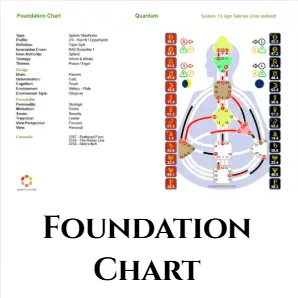
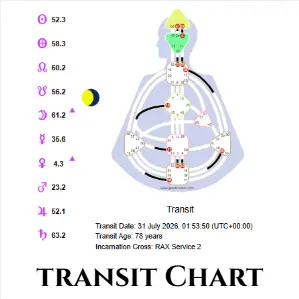
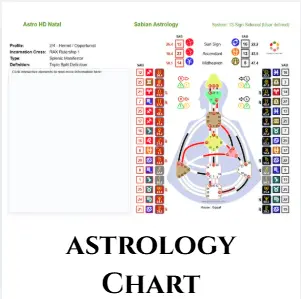
What You Need
To calculate your true sidereal chart, you need one thing: a Genetic Matrix Pro Account. Genetic Matrix is currently the only Human Design charting software that unlocks the specific sidereal settings required for an accurate, real-sky calculation, the free version does not include them.
Why Genetic Matrix is Different (And What Pro Actually Gives You)

Most Human Design charts on the internet are wrong.
Not because the software necessarily made a mathematical error, but because the vast majority are calculated using the tropical zodiac, the standard calculation used in Human Design since Ra Uru Hu transmitted the system. That calculation does not place the planets against the astronomical sky you were actually born under. Most online Human Design chart calculators are locked to tropical coordinates.
And even among the smaller number offering sidereal or True Sidereal options, the calculations are not necessarily the same. I tested multiple True Sidereal calculators myself and found that the resulting charts did not match the calculation I use professionally. That is why I don’t ask you to simply trust a chart because a website calls it “True Sidereal.”
I show you the exact configuration I use. Genetic Matrix is the charting software I currently use because it provides the specific sidereal settings required for the calculation I use in my professional readings. Once you’re set up to calculate true sidereal, your Pro membership also unlocks a full ongoing dashboard, not just a one-time chart:
- Your True Core Map: your correctly calculated real-sky aura type, inner authority, and profile numbers.
- Your Native Law Keys: the ancient I Ching gates active in your biology, calculated against the true sky.
- Your True Centers: an interactive chart showing exactly which of the nine energy hubs are defined, so you can overlay my Nine Officers framework directly onto your own calculated chart.
- Advanced Transit Tracking: calculate how the planets currently moving through the real sky interact with your natal chart, day by day.
- Connection & Relationship Charts: calculate the mechanical dynamics between your chart and a partner’s, a family member’s, or a business associate’s.
- Life Cycle & Return Charts: calculate major evolutionary milestones (Solar Returns, Saturn Returns, Uranus Oppositions, Chiron Returns) using real astronomical coordinates.
This is the environment your body already knows. The step-by-step configuration below shows you exactly how to calculate it.
Step-by-Step: Configure Your True Sidereal Chart
Before beginning, make sure you are logged into your Genetic Matrix Pro Account. Navigate to the main Settings area from your dashboard, and update each section exactly as outlined below.
1.Update Astrology System Settings: Box 1.
Locate the section titled Astrology System Settings. Select 13 Sign Sidereal so it is highlighted with the red indicator. Ensure that the Hybrid Calculation toggle is turned OFF.
Hybrid settings mix tropical elements into the sidereal calculation, which will distort your data. Click Update to save this box before moving to the next step.
2.Adjust the House Setting: Box 2.
Find the option labeled Astro HD House Setting and set it to Equal.
3.Set Global Time Zones: Box 3.
Find the Global Time Zone Settings section. Change the default time zone setting to Universal Coordinated Time (UTC).
4.Configure Astro HD Sidereal Settings: Box 4.
Locate the Astro HD Sidereal Settings box. This section has several specific fields that must be entered manually:
Set the Reference Year to 2000.Leave all other miscellaneous fields in this specific box exactly as they are.
Set Ayanamsha to User Defined SVP by scrolling to the very bottom of the drop-down list.
Enter exactly 31.74 into the Fixed Sidereal Vernal Point field.
Set the Yearly Incremental Sidereal Vernal Point to 0.
5.Save and Recalculate: Final Step.
Once all four boxes are configured precisely to these coordinates, click the main Update or Save button at the bottom of the page to apply all changes globally.
Your charts will now automatically recalculate using actual astronomical positions.
My Exact Professional Blueprint
The settings I have given you above are not an approximation or a watered-down version for the public. They are the exact, uncompromised and precise calculations I use for every single professional client reading I deliver.
By configuring your backend this way, your Genetic Matrix dashboard will generate the exact real-sky chart that I look at when analyzing a bodygraph. There is no guesswork and no hidden data. Your map will be a flawless visual representation of the true astronomical sky at your exact moment of birth.
If your type, authority, or profile looks completely different from what you were given in a traditional tropical reading, trust what you see. That difference is real. Your physical vehicle was always responding to the real sky. Now, your map finally matches your body.
Frequently Asked Questions
What to Do With Your New Chart
Some people see their entire chart transform instantly under a real‑sky calculation, while others notice subtle, nuanced shifts in their gates and channels. Either way, what you are looking at now is mechanically correct. Whether subtle or dramatic, what you are seeing is the real sky speaking through your design. To fully understand what your new chart is showing you… including your Nine Officers, your Law Keys and your correct authority and profile… you have two clear pathways forward:
Receive direct guidance through your real‑sky chart, explained in depth.
Study deeper on your own, uncovering the mythic mechanics of your centers.